

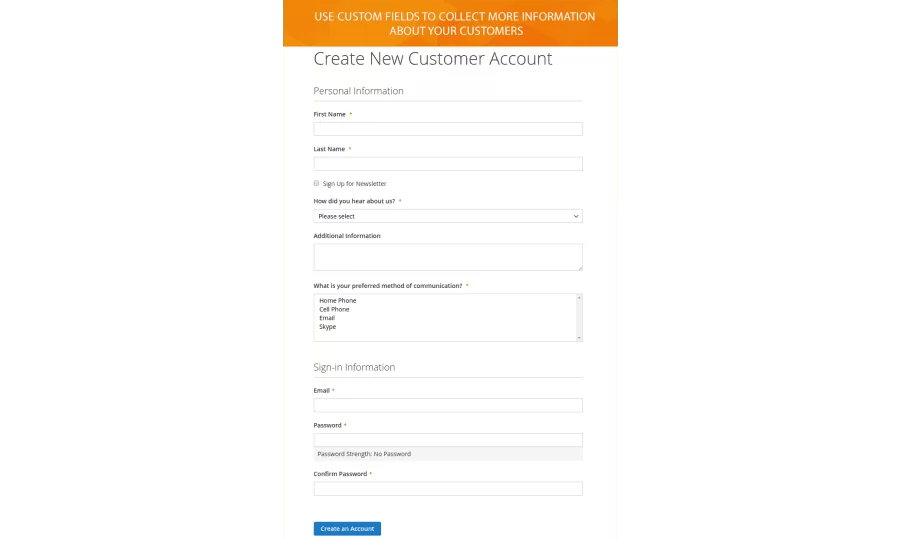
When you are on making shopping more convenient why not provide a highly personalized registration experience in your store. The Customer Field Manager extension for Magento 2 enables creating numerous customer fields on the sign-up form. It allows you capture more information about a client, that can be used as the basis for your marketing strategy.
The module offers to choose up to 6 different input types. It works perfectly with standard Magento 2 checkout and FireCheckout modules.
When using Customer Field Manager extension, you can:
- Create new custom fields.
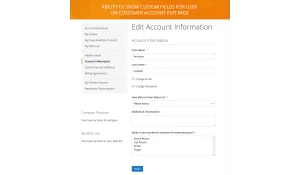
- Display extra customer fields both on the registration page and customer account edit page.
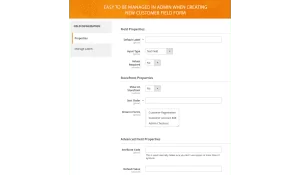
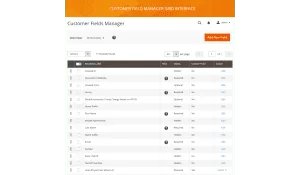
- Change the sort order, status, default values and labels for each custom field.
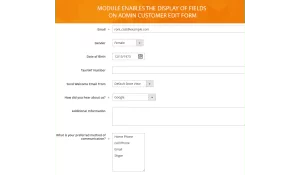
- Show customer fields on edit customer form in the backend.
- Free installation
- Activate up to 10 times
- All extensions $79
- Approved on Magento Marketplace
Magento Open Source Compatibility
Magento Community 2.4.9, Magento Community 2.4.8, Magento Community 2.4.7, Magento Community 2.4.6, Magento Community 2.4.5, Magento Community 2.4.4
Adobe Commerce Compatibility
Adobe Commerce 2.4.9, Adobe Commerce 2.4.6, Adobe Commerce 2.4.5, Adobe Commerce 2.4.8, Adobe Commerce 2.4.7
Installation instructions and manuals
Unlimited number of customer fields
Customer Field Manager extension allows not only creating an unlimited number of custom fields on the registration page but also changing the values of every customer field. The module offers you to change the customer form fields status, sort order, default values, and labels.
6 different input types
Via the module, you can easily collect extra data about your customers. Thus the extension allows using various types of customer attributes input. You can choose from Text Field, Text Area, Date, Yes/No, Multiple Select, Dropdown. These input types will help you to gather the information more effectively.
The display on frontend and backend
The extension enables the display of the additional custom fields on customer registration page as well as on customer account edit page. You can also manage custom fields in "Edit customer form" and when creating new order form. Actually, with the module, you get the ability to change customers’ data in the backend.
Advanced possibilities of the module
Customer Field Manager module aims to help you improve the user experience at your website as well as to simplify the managing of the custom fields by your admins. For instance, it allows you to change a field status for specific website only, or modify labels in default Magento 2 registration form.
Customer fields manager 1.2.11
28th March 2024- Improved user interface.
- Magento 2.4.7 compatibility ipdate
Customer fields manager 1.2.10
16th April 2023- BreezeFrontend integration added.
Customer fields manager 1.2.9
23th September 2022- Fix PHP 8.1 issues
- Added helper method to get all entity attributes
- Added code to fix wrong attributes values in Magento 2.4
Customer fields manager 1.2.7
23th November 2020- Updated mass status action
Customer fields manager 1.2.5
23th October 2020- Fixed missing fields default values
Customer fields manager 1.2.3
14th October 2020- Added ignore field config for compatibility with third-party modules
Customer fields manager 1.2.1
17th February 2020- Marketplace data added
Customer fields manager 1.1.2
10th December 2018- Fixed dropdown field options save issue in Magento 2.2.7
Customer fields manager 1.1.1
10th November 2018- Fixed ability to save attribute with custom attribute_code.
Customer fields manager 1.1.0
31st October 2018- Internal module naming convention was updated. We applied this changes to reach full compatibility with Magento Marketplace policy and new Composer-based installation process.
Customer fields manager 1.0.2
21th of September 2018- Fixed validation when saving existing attribute in backend panel
Customer fields manager 1.0.1
31th of July 2018- Translation file added
Address fields manager 1.0.0
30th of April 2018- Initial Release
Write Your Own Review