

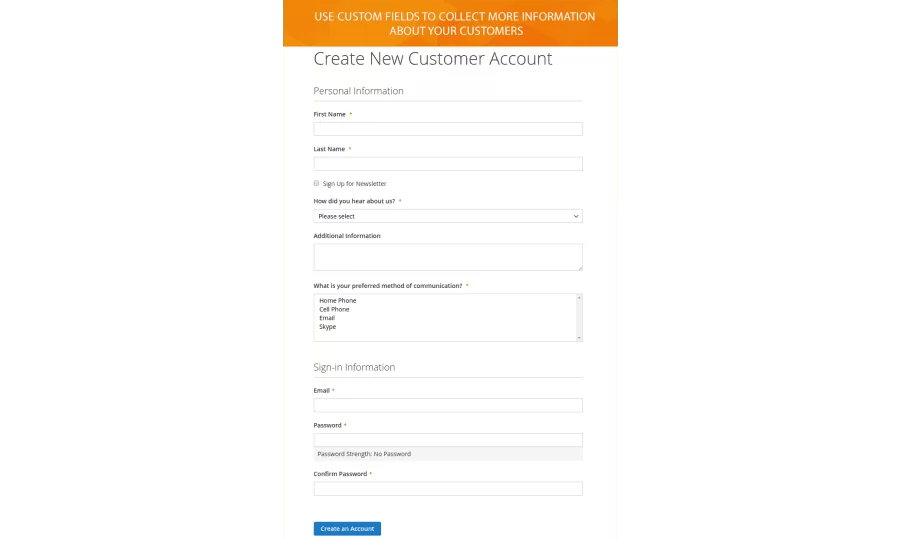
When you are on making shopping more convenient why not provide a highly personalized registration experience in your store. The Customer Field Manager extension for Magento 2 enables creating numerous customer fields on the sign-up form. It allows you capture more information about a client, that can be used as the basis for your marketing strategy.
The module offers to choose up to 6 different input types. It works perfectly with standard Magento 2 checkout and FireCheckout modules.
When using Customer Field Manager extension, you can:
- Create new custom fields.
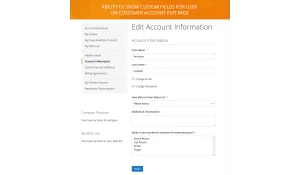
- Display extra customer fields both on the registration page and customer account edit page.
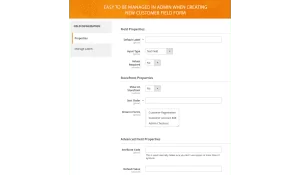
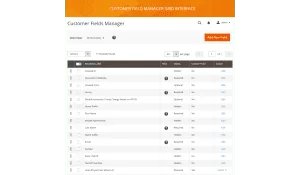
- Change the sort order, status, default values and labels for each custom field.
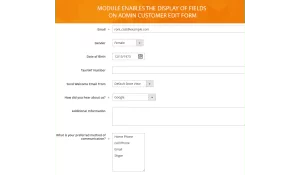
- Show customer fields on edit customer form in the backend.
- Free installation
- Activate up to 10 times
- All extensions $79
- Approved on Magento Marketplace
Magento Open Source Compatibility
Magento Community 2.4.9, Magento Community 2.4.8, Magento Community 2.4.7, Magento Community 2.4.6, Magento Community 2.4.5, Magento Community 2.4.4
Adobe Commerce Compatibility
Adobe Commerce 2.4.9, Adobe Commerce 2.4.6, Adobe Commerce 2.4.5, Adobe Commerce 2.4.8, Adobe Commerce 2.4.7
Installation instructions and manuals
Unlimited number of customer fields
Customer Field Manager extension allows not only creating an unlimited number of custom fields on the registration page but also changing the values of every customer field. The module offers you to change the customer form fields status, sort order, default values, and labels.
6 different input types
Via the module, you can easily collect extra data about your customers. Thus the extension allows using various types of customer attributes input. You can choose from Text Field, Text Area, Date, Yes/No, Multiple Select, Dropdown. These input types will help you to gather the information more effectively.
The display on frontend and backend
The extension enables the display of the additional custom fields on customer registration page as well as on customer account edit page. You can also manage custom fields in "Edit customer form" and when creating new order form. Actually, with the module, you get the ability to change customers’ data in the backend.
Advanced possibilities of the module
Customer Field Manager module aims to help you improve the user experience at your website as well as to simplify the managing of the custom fields by your admins. For instance, it allows you to change a field status for specific website only, or modify labels in default Magento 2 registration form.
Customer fields manager 1.2.11
28th of March 2024- Fixed large gap between customer registration form and submit button.
Customer fields manager 1.2.10
26th of June 2023- Added ability to choose between "Dropdown", "Radio" or "Checkbox" display modes for "Yes/No", "Multiple Select", and "Single Select" fields.
Customer fields manager 1.2.9
10th of April 2023- BreezeFrontend integration added.
Customer fields manager 1.2.8
10th of November 2020- Fixed error when saving a field with the required option disabled
- Force use on all forms when field is required
Customer fields manager 1.2.7
28th of October 2020- Fixed multiple select value save on frontend
Customer fields manager 1.2.5
23rd of October 2020- Fixed missing field default values
Customer fields manager 1.2.4
21st of October 2020- Fixed ability to show customer fields together with custom address fields on the same page.
Customer fields manager 1.2.0
8th of January 2020- 16 locales added to translate backend and frontend phrases:
- Arabic
- Chinese
- Dutch
- French
- Hebrew
- Italian
- German
- Japanese
- Norwegian
- Korean
- Polish
- Portuguese
- Russian
- Spanish
- Swedish
- Ukrainian
Customer fields manager 1.1.2
19th of December 2018- Fixed dropdown field options save issue in Magento 2.2.7
Customer fields manager 1.1.1
8th of November 2018- Fixed ability to save attribute with custom attribute_code
Write Your Own Review