

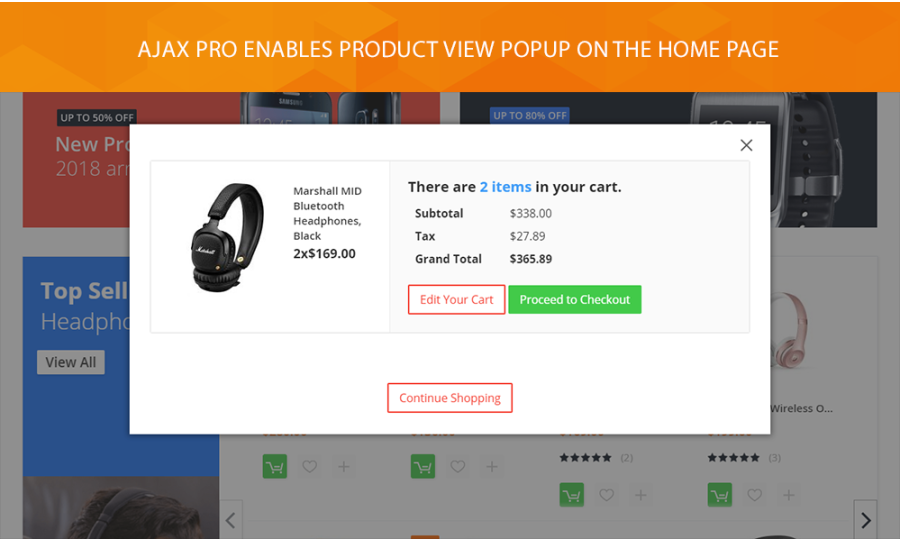

When it comes to positive customer experience, the ajax add to cart functionality is a must-have. Your visitors would like to have the most of the time when shopping in your store, but they do not. Thus you have to help them add products to the cart faster. Without redirecting to different pages.
We come with an ajax solution that provides improved Add to cart experience. The Ajax Pro module comes with advanced features that will help you to:
- update the products, quantities, and prices via Ajax
- enable quick product view option on the product listing
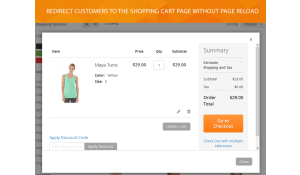
- allow users to select the product options in Add to cart pop-up window page reload
- allow users to choose configurable products and custom product options on the category page
- show floating cart
- enable fast Add to cart process for all types of products
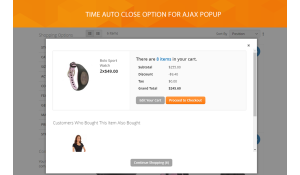
- enable a timeout auto close for ajax popup
- choose a sliding mode for mini cart
Extension approved on Magento Marketplace
- Free installation
- Activate up to 10 times
- All extensions $79
- Approved on Magento Marketplace
Magento Open Source Compatibility
Magento Community 2.4.9, Magento Community 2.4.8, Magento Community 2.4.7, Magento Community 2.4.6, Magento Community 2.4.5, Magento Community 2.4.4
Adobe Commerce Compatibility
Adobe Commerce 2.4.9, Adobe Commerce 2.4.6, Adobe Commerce 2.4.5, Adobe Commerce 2.4.8, Adobe Commerce 2.4.7
Installation instructions and manuals
Fast Add to Cart process

Ajax Pro module includes quick product view feature. Thus your customers can add the desired product from a pop-up window right on the product listing page. The action won't redirect them to the product page. Instead, they will stay in the same viewport. The module works with all product types. Users can easily select the product attributes right in ajax popup.
Slide mode for cart window

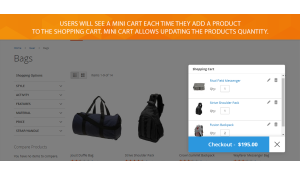
Ajax Pro module provides 2 types of Add to cart window display. You can choose either the pop-up or the slide type. That way a shopping cart content will slide in a sidebar each time a customer adds the new product to the cart. A user will also be able to update the item quantity or remove a product right there.
Cart-sidebar widget

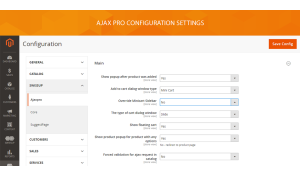
Ajax Pro extension allows showing a shopping cart content at the sidebar of your Magento 2 site. With the module's settings, you can choose a mini cart window type and then override a mini cart sidebar. A sidebar widget will be shown in case there are will be the items in a cart.
Improved usability with mini cart

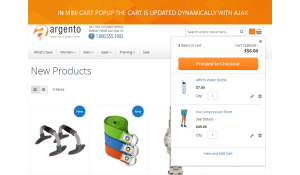
Our module allows customers to track the cart content without leaving the shopping process. With enabled mini cart dialog window type display, your visitors see a bag icon. Clicking on it, users check what the products they added. They can see a number of products added to the shopping cart, and current cart subtotal. It is also available to update the product quantity in a mini cart without going to the shopping cart page.
Floating cart widget

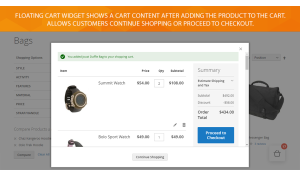
With the Ajax Pro module, you can use a floating cart widget. That way a floating cart will appear after adding a product to the cart. After clicking on the icon, your customers will see the number of items they already selected. They can continue shopping. Or they can navigate to the checkout page or shopping cart page. There will be the appropriate links in the floating cart interface.
Improved compare functionality

Ajax Pro module allows adding the products to compare lists right from the category page. Then visitors will see items to compare on a sidebar. The module allows navigating to the compare page where users could add the product they like more to the shopping cart. Your customers could also clear all chosen items by using a reset button. That way they will also get a system message with the confirmation question.
Ajax Pro 1.7.44
8th of October 2026- Security: Medium — strengthened validation of storefront AJAX requests.
- Security: Low — improved product visibility enforcement in AJAX responses.
Ajax Pro 1.7.43
2nd of October 2026- Fixed the add to cart popup resizing the product thumbnails of the listing behind it.
- Fixed the "Skip to the end of the images gallery" links inside the Quick View popup sending focus to the page behind the popup instead of its own gallery.
Ajax Pro 1.7.42
14th of September 2026- Fixed stale Quick View markup being injected into every page after a quick view. On themes where the popup styles do not apply, the product block rendered inline in the page, usually below the gallery.
Ajax Pro 1.7.41
3rd of September 2026- Fixed the product popup resizing the product thumbnails of the listing behind it.
Ajax Pro 1.7.40
3rd of September 2026- Fixed the product options popup not opening when a bundle or grouped product, or a product with required custom options, is added to cart from a category or search listing. The page reloaded silently instead.
- With the product view popup switched off, such a product now opens its product page instead of reloading the listing.
Ajax Pro 1.7.39
26th of August 2026- Fixed a javascript error on add to cart in themes shipping their own outdated
catalog-add-to-cart.jsoverride.
Ajax Pro 1.7.38
26th of August 2026- Fixed Gift Card product options being lost on add to cart.
- Fixed the compare and wishlist links submitting twice on a single click.
Ajax Pro 1.7.37
12th of August 2026- Fixed the Quick View popup staying silent after the popup gating change made in 1.7.35.
- Fixed
customer/section/loadanswering 400 when an AjaxPro section failed to render. - Breeze: added missing imports.
Ajax Pro 1.7.36
15th of July 2026- Fixed all storefront notice messages being silently dropped during ajax requests.
- Fixed an endless customer section reload loop on same-domain multi-store setups.
- Fixed the auto-close timeout not closing the results popup.
- Improved event handling to avoid removing click handlers registered by other modules.
- Replaced the
PostHelperclass override with a plugin to compose with other extensions instead of conflicting. - Unified the customer-data handling between Luma and Breeze frontends.
Ajax Pro 1.7.35
14th of July 2026- Fixed the results popup opening on page load for logged-in customers when AjaxPro sections expired.
Write Your Own Review