

Creating the order, the customers like to clarify the order details. Users might have the additional information they want to convey. In that case, you better be right about this. You could allow attaching the files to a purchase order right during a checkout. Here's a solution for the adding files on Magento 2 checkout page. The Order Attachments extension for Magento 2 The module allows uploading files for each product your customers buy. The attaching process is powered by Ajax and does not require reloading the page.
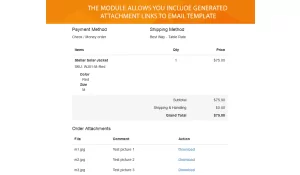
With the module, the user can attach files to order not only on the checkout page but on the order view page as well. All the attachments are protected from public access via generated links. Uploaded files will be shown on Guest Order View and Customer Order View pages. The module allows attaching file links to the email template.
Order Attachments extension works perfectly with default Magento 2 checkout. It is also a part of the Magento 2 FireCheckout extension.
- Free installation
- Activate up to 10 times
- All extensions $79
- Approved on Magento Marketplace
Full control over order attachments
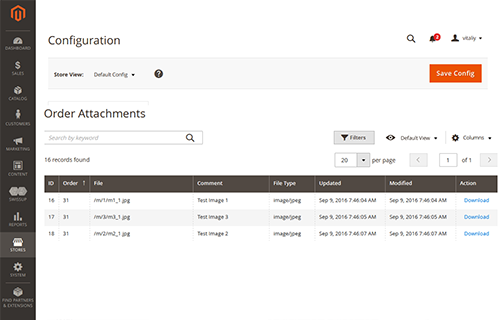
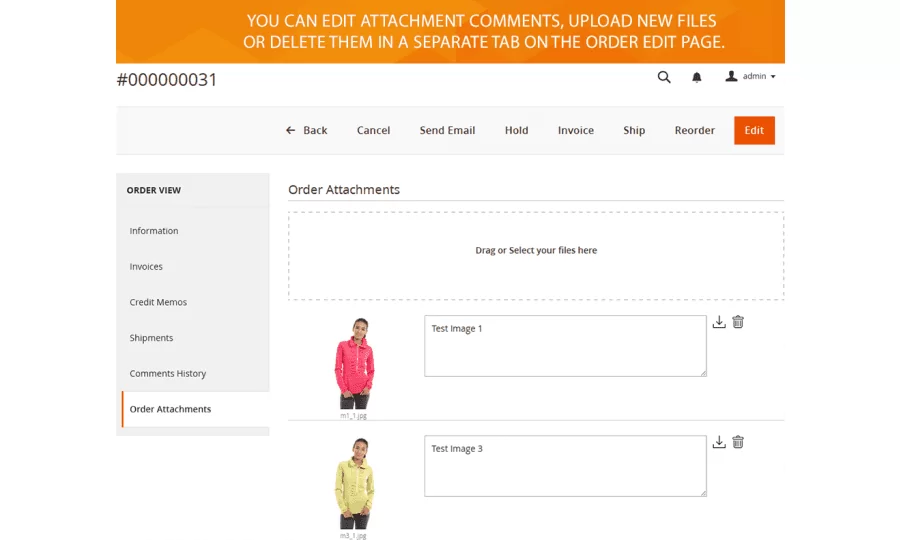
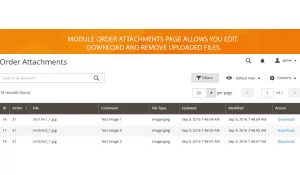
The Order Attachments extension provides easy to use order attachments grid interface. It allows managing all uploaded files directly in admin panel. You can search, edit, download and delete all available attachments. The module is integrated into a separate tab of the order edit page. You can easily edit the attachment comments, upload new attachments or delete them.
An easy way to configure file uploads
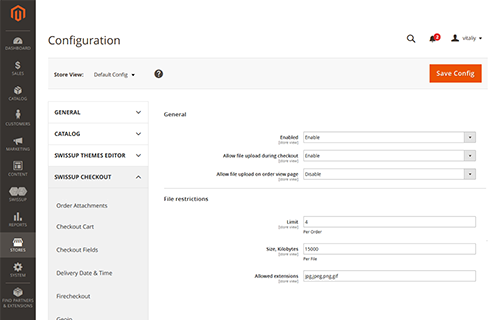
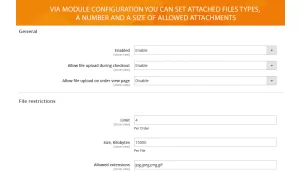
With Order Attachments module settings you can enable or disable a module, set the opportunity to upload files during a checkout process, enable file attachment on the order view page, set files count limit per one order, and specify the allowed size to be attached. In the configuration, you can also enter the file extensions allowed to be uploaded.
Order attachment during checkout
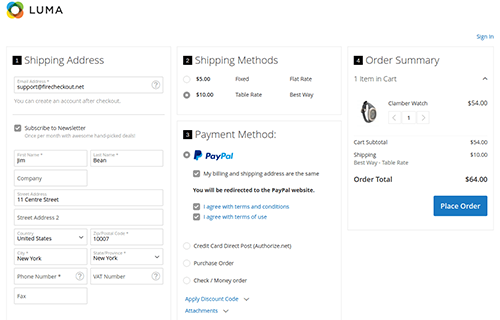
The module provides easy upload files during checkout. That will help your customers give you the additional important information for a proper purchase order. Users will see the order attachments section at the payment step. There will be a list of allowed file extensions that make the uploading process more friendly. Attachments are protected from public access with generated links.
File uploads at order view page
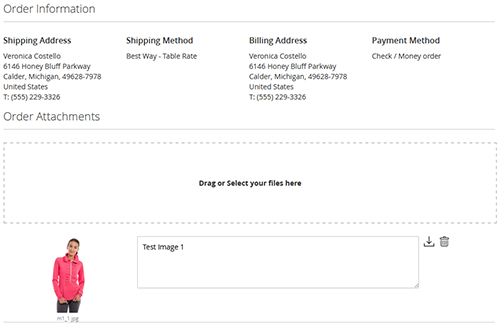
The Order Attachments module for Magento 2 allows adding files at customer order view page and guest order page. In that case, you have an opportunity to get a valuable information for the successful ordering process. That leads to better understanding between your clients and website.
Order Attachments 1.5.3
8th of October 2026- Security: High — improved safety when handling and previewing uploaded attachments.
- Security: Medium — attachment size and count limits are now applied consistently.
- Security: Medium — strengthened protection for managing attachments during checkout.
- Security: Medium — improved protection for attachment actions.
- Security: Medium — strengthened attachment preview access.
- Security: Low — improved storefront error handling.
Behaviour change: temporary attachment preview access now expires; account for this in long-running workflows.
Order Attachments 1.5.2
9th of April 2025- PHP 8.4 support added.
- Magento 2.4.8 support added.
Order Attachments 1.5.1
6th of March 2024- Fixed inability to upload the same file multiple times in a row.
Order Attachments 1.5.0
7th of August 2023-
Added ability to notify customer and admin about changes in attachments made after other placement.
Notification is sent once per 10 minutes for updated and new attachments only.
Order Attachments 1.4.27
24th of July 2023- Stability improvements.
- Breeze integration updated.
Order Attachments 1.4.24
23rd of May 2023- Fixed inability to upload attachment or edit them from backend
Order Attachments 1.4.21
24th of March 2023- Breeze integration added.
- Security fix: do not allow to add attachment using order_id parameter.
- Do not allow to upload/edit/remove attachments from order view page if the corresponsing option is disabled.
- Newly uploaded files will be added to the top, so user see them without scrolling down the list.
- A lot of code cleanup was made.
Order Attachments 1.4.19
30th of December 2022- Resrtict Edit notes and Remove attachments on the customer account page.
Order Attachments 1.4.18
28th of November 2022- Highlight order attachments tab in Order grid if it's not empty.
Order Attachments 1.4.17
9th of August 2022- Update integration with Checkout Success module.